 Universal Presenter Remote
Ditch the dongle.
Present with freedom.
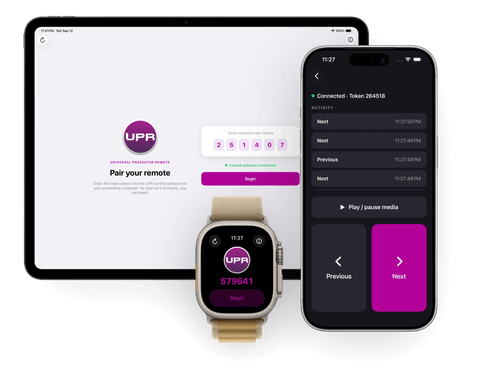
Turn your phone or Apple Watch into a presentation remote. Wi-Fi or cellular, unlimited range, set up in seconds — for Windows, Mac, iOS, Android, and the web.
Why UPR?
Cross-platform, one interface
Run your presentation from your own Windows or Mac. Control it from your phone, your watch, or any browser — the interface stays familiar no matter which device you reach for.
No dongles, no pairing
Nothing to plug in, nothing to lose. Just a one-time token.
Unlimited range
Cloud-powered — works across the room or across the world.
Private by design
No account to create. UPR only relays Next/Previous commands — we never see or store your presentation.
Easy as 1, 2, 3
Download the remote
Control from any platform. The remote generates your presentation token — enter it in the software from step 1.


Connect and go
Enter the remote's token into the control software and click connect. When the begin button lights up, start presenting — Next, Previous, and media keys just work.